Color Slicer
Color Slicer: Slice the right color
Short description: A minimal, colorful reflex puzzle; stop the moving color to match the target. Quick 5-round matches or an endless challenge where speed adapts to your accuracy.
About
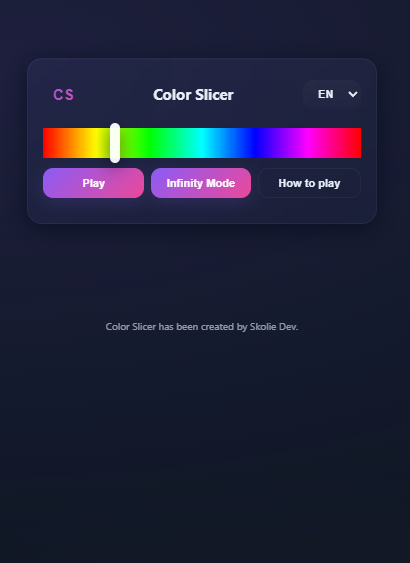
Color Slicer is a small, polished web mini-game where you must stop a moving color slider as close as possible to a target color. The interface is minimalist and mobile-friendly, with smooth animations and an elegant glass/neumorphic UI.
Features
- Click the logo to go back to the home screen.
- Play mode: Standard matches are composed of 5 rounds per game.
- Infinite mode: Keep playing, the slider speed adapts dynamically based on your precision, making the game progressively more challenging.
- Language switch: A language selector in the top-right corner lets you toggle between English and Spanish.
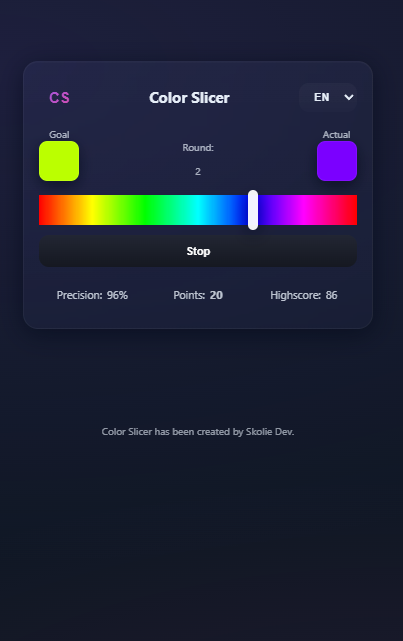
- Stop button behavior: When you press Stop, the game halts and shows two color swatches side-by-side (the Target color and the Obtained color) so you can visually compare how close you were.
- Responsive layout suitable for desktop and mobile.
- Round-based scoring, highscore saving, and a quick retry option.
How to play
- Press Play to start a 5-round match (or choose Infinite mode from the menu).
- Watch the color marker sweep along the bar.
- Press Stop when you think the current color matches the target.
- See the result: both the Target and your Obtained color are shown for comparison, and your precision is scored.
- After 5 rounds the game displays a final score and verdict; in Infinite mode the slider speed changes depending on your precision to keep the challenge evolving.
Controls
- Click / Tap: Stop the slider
- Spacebar: Stop (keyboard)
- Retry: Replay the current match
- Logo: Return to the main menu/home
- Language selector (top-right): Switch English / Español
Accessibility & Notes
The game displays both the target and obtained colors after each attempt so players can compare visually. A high-contrast UI option can be added on request.
Leave a comment
Log in with itch.io to leave a comment.